Data Apps
Create Data Sources
To upload data, click on "+" button next to "Data Sources". You can connect data from an external connector or by uploading files from a local system. Ensure the data is in the correct format. We currently provide support to upload the following file formats:
Connecting to Amazon S3 bucket / Azure Blob Storage:
To connect to an Amazon S3 bucket or Azure Blob Storage, an admin must set up the integration through the Data Connectors section in the Admin Console. Once the connection is successfully validated, the bucket can be used to ingest data in all supported formats.
Next, select the connector from the list provided. Be sure to select the appropriate data type before entering the path. When specifying the Path, follow these guideline:
- To pull data from a folder, end the path with a /.
- To upload a specific file, enter the filename without the extension.
- To connect everything in a folder and its subfolders, enter * as the path.

To pull in new data from the bucket, click on "Sync files" option. This would sync all the files to the bucket, which would include removing any original files that are no longer a part of the bucket. You can set a "Sync Frequency" when creating a data source to automatically pull data from your bucket at the chosen interval.
Uploading Structured Files:
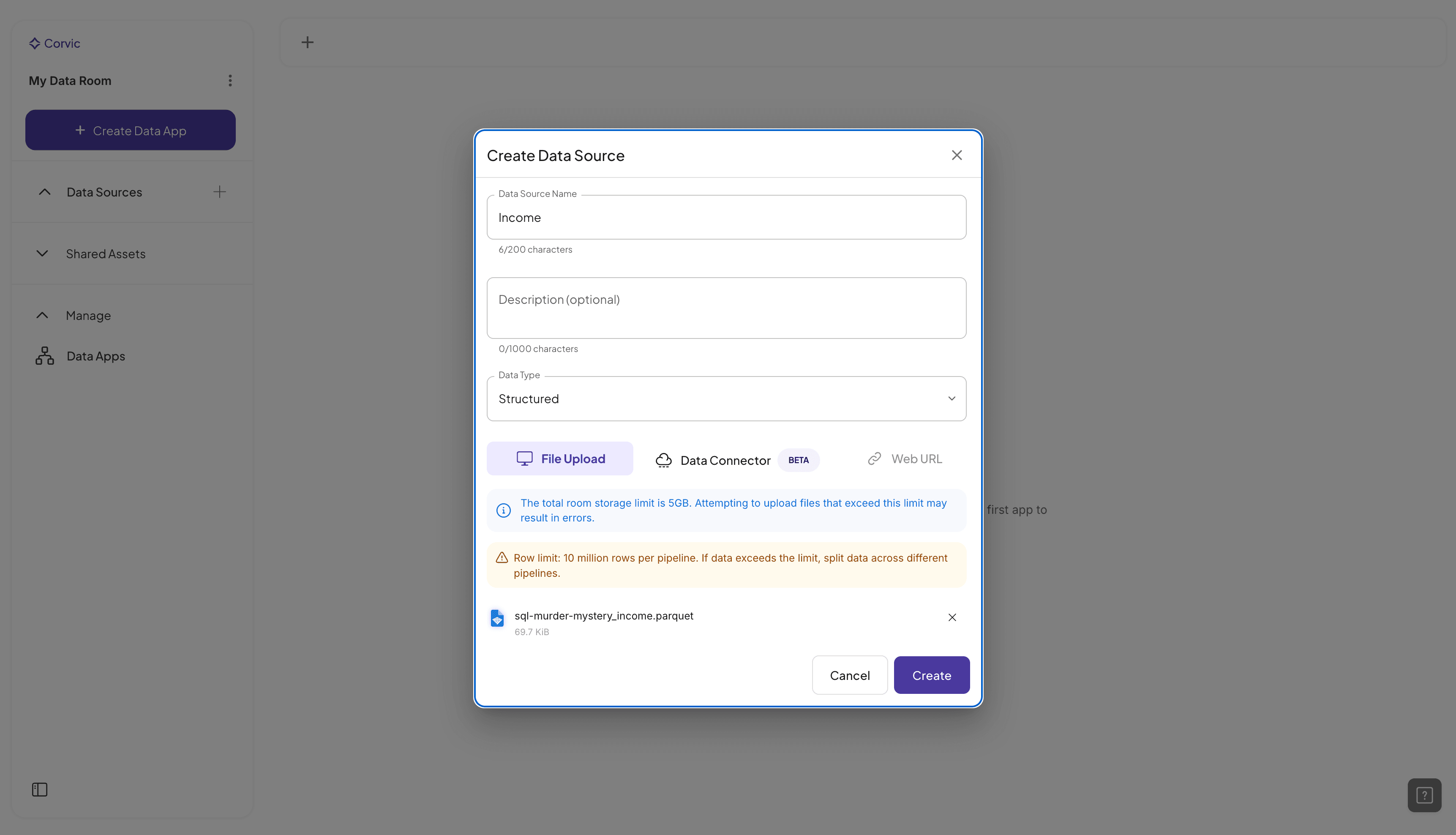
When uploading structured files, the data type automatically defaults to "Structured" data. Only parquet file uploads are supported currently.
Uploading Unstructured files:
When uploading unstructured files, the data type automatically defaults to "Unstructured" data. Ensure the file type is among supported file extensions in Corvic.

The upload time can vary based on your network capacity and the file size. It could take several minutes for larger (GiB sized) files. No more than 5GiB of data can be uploaded to a room.
Incremental Uploads to Data Sources:
Additional files can be added to an existing data source via the "Add Files" button. Note that new files must match the original data source's file type.
